Shoot Golden NZ
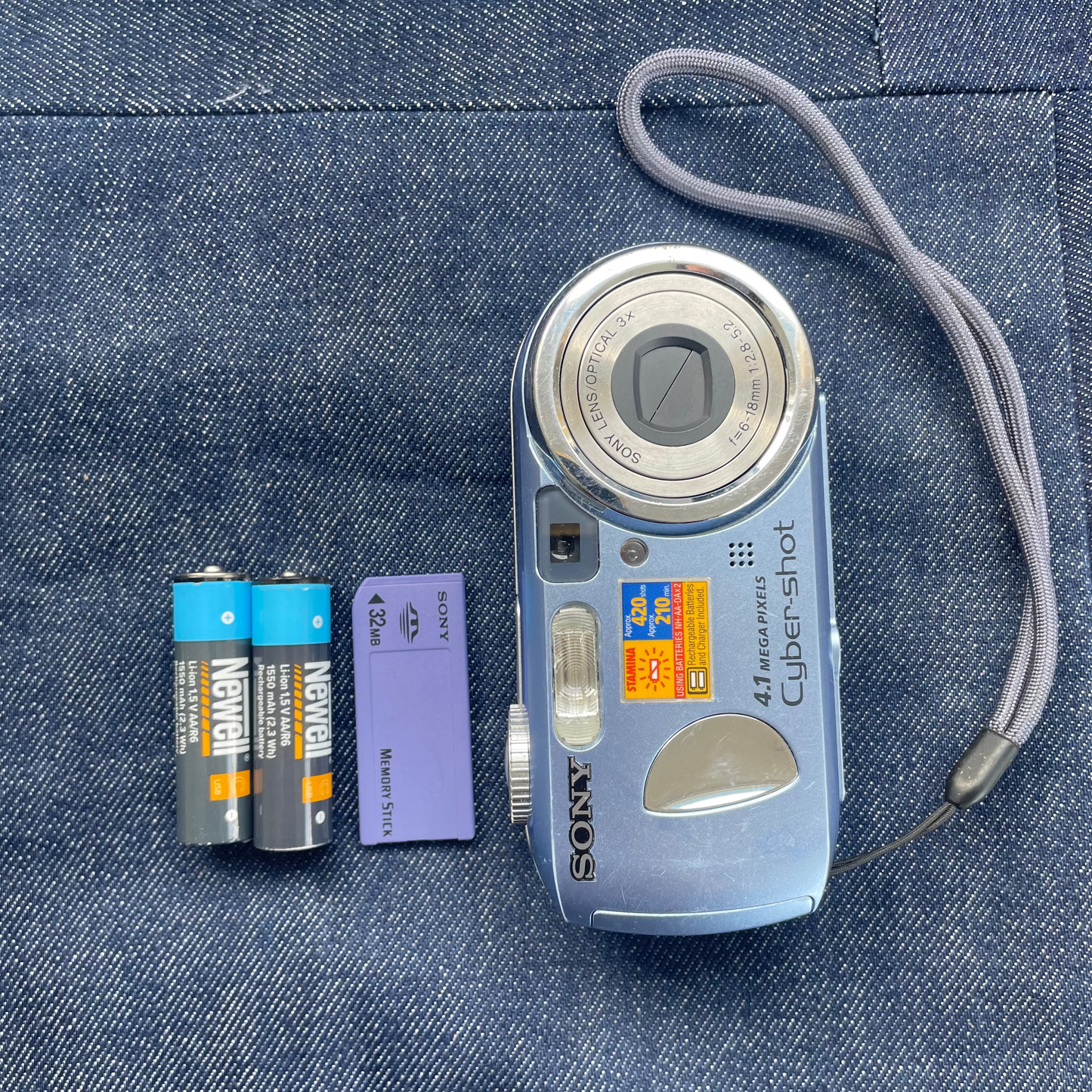
Sony Cyber-shot DSC-P73 Digital Camera
Sony Cyber-shot DSC-P73 Digital Camera
Regular price
$219.99 NZD
Regular price
Sale price
$219.99 NZD
Unit price
per
Shipping calculated at checkout.
Couldn't load pickup availability
The Sony Cyber-shot is the ultimate Y2K vibe right now. Here is why it’s iconic:
- No Smartphone AI: iPhone cameras are too clinical. The Cyber-shot delivers raw, grainy, low-res images with that chaotic, blown-out flash look
- Dopamine Delay: No TikTok notifications to ruin the vibe. You actually stay present, and waiting to transfer the pics later feels like opening a gift
- Peak Accessory: Rocking a vintage digicam fits the streetwear aesthetic perfectly alongside baggy jeans and wired headphones
-
Paparazzi Energy: It perfectly captures the chaotic, candid 2000s party aesthetic
Key Specifications
- Resolution: 4.1 Megapixel Super HAD CCD sensor
- Lens: 3x optical zoom (39–117mm 35mm equivalent) with an f/2.8 maximum aperture
- Display: 1.5-inch color LCD screen
- Power: 2x AA batteries (NiMH rechargeable recommended)
- Video: VGA video recording (640x480) at up to 16/30 fps using MPEG VX format
- Storage: Memory Stick / Memory Stick Pro expansion slot
Features
- Manual Controls: Offers manual exposure options, 5-area multi-point autofocus, and slow shutter noise reduction
- Connectivity: USB 2.0 interface and PictBridge compatibility for direct printing without a computer
- Design: Pocket-friendly, lightweight body that is popular today for its retro, early-2000s digital aesthetic
Here is how to get that 2004 digital camera aesthetic off your Sony DSC-P73 and onto your feed:
💾 1. The Memory Card
This camera uses vintage, obsolete Memory Stick cards.
- The Hack: Buy a "Memory Stick Pro Duo to MicroSD adapter" on Trademe
- Pop a 32GB (or smaller) MicroSD card into it. This tricks the old camera into working with modern tech
💻 2. Transfer to MacBook
The original USB cables are hard to find, so a card reader is your best bet.
- Take the card out of the camera
- Plug it into a USB-C card reader connected to your Mac
- Open Finder, click the drive under "Locations," and drag your files from the DCIM folder to your desktop
📱 3. Post to Instagram & TikTok
- Select your files on your Mac, right-click, and AirDrop them straight to your phone.
- Open TikTok or Instagram and upload them from your camera roll
Here is how to sort the gear for your Sony DSC-P73 using stuff you can actually buy in NZ today:
💾 1. The Memory Card
This camera takes vintage, long-obsolete Sony Memory Sticks. Since those are hard to find and expensive, do this instead:
- The Hack: Buy a "Micro SD to Memory Stick Pro Duo Adapter" (you can find these online or at specialty electronics shops)
-
The Card: Pair the adapter with a standard MicroSD card. Just make sure it is 32GB or smaller (like a 16GB card), otherwise this 2004 camera will get overwhelmed and won't format it
🔌 2. The Card Reader
How you plug it into your MacBook depends on which card setup you went with:
- If you used the MicroSD Hack: Easy. Just get a standard USB-C MicroSD card reader from PB Tech or JB Hi-Fi. Take the tiny MicroSD card out of the adapter and plug it straight into your Mac
- If you found an original Sony Memory Stick: You will need an "All-in-1" Legacy Card Reader from a place like Jaycar that explicitly has an "MS" slot. Since these usually have older USB-A plugs, grab a cheap USB-A to USB-C adapter so it fits your MacBook's ports
✨ Tested & Ready
Our team has mechanically tested and deep-cleaned this digicam. It’s in perfect working order and fully ready for you to point, shoot, and capture the vibe.
🔋 Storage & Aftercare
- Keep it Chill: Store your camera in a cool, dry spot. Avoid super hot places (like a parked car).
- Save the Battery: If you’re taking a break from shooting for a few weeks, pop the batteries out to protect the inside.
- Protect the Aesthetic: Grab a small camera case. Tossing it loose into your everyday bag can scratch it up, so protect it from knocks to keep it running perfectly.